(Long)wh.png)
Choosing the Right Images to Enhance Your Website

Updated: Aug 30

Choosing the right website images involves much more than finding attractive photos and adding them to your pages. The visuals you use can influence how visitors perceive your brand, how long they stay on your website, and whether they feel confident enough to contact your business or make a purchase.
Images can communicate your brand personality, explain your services, create an emotional connection, and make your content easier to understand. However, the wrong images can have the opposite effect. Poor-quality, irrelevant, overly generic, or improperly optimized images can make an otherwise professional website feel unfinished.
Whether you're building a new website or considering a website redesign, choosing the right visuals should be an important part of your overall design strategy.

Why Website Images Matter
Website images are an important part of your website's overall user experience. Visitors often form an impression of a business within seconds of landing on a website, and the images they see contribute significantly to that first impression. A professional service business, for example, may benefit from polished photography that communicates expertise and trust. A restaurant may use appetizing food photography to encourage visitors to make a reservation. An ecommerce business needs detailed product photography that allows customers to understand what they are purchasing.
Images can also help break up long sections of text and make important information easier to scan. Instead of presenting visitors with large blocks of written content, thoughtful visual elements can create a more engaging and comfortable browsing experience. The key is making sure every image has a purpose. Before adding an image to your website, ask yourself whether it supports the content, reinforces your brand, or helps the visitor understand something more clearly.

How to Choose the Best Website Images
Choosing effective website images starts with understanding what role the image needs to play. A hero image on your homepage may need to immediately communicate your brand, while an image on a service page may need to help explain a specific service.
Start With the Purpose of the Image
Before searching for a photo, determine what you want the image to accomplish. Is it supposed to showcase a product, demonstrate a service, establish trust, tell a story, or simply provide visual interest? For example, an image of a business owner working with a client can help communicate a personal and professional experience. A detailed product photograph can help an online shopper evaluate a purchase. A photograph of a finished interior design project can showcase the quality of a designer's work. When the purpose is clear, finding an appropriate image becomes much easier.
Match Your Images to Your Brand
Your images should feel like they belong to the same brand as your website's colors, typography, logo, and overall design. A luxury brand may benefit from sophisticated photography with clean compositions and carefully controlled lighting. A children's business might use colorful and energetic imagery, while a law firm may want professional photography that communicates confidence and credibility.
Consistency matters, especially when multiple images appear throughout your website. Even if each individual photograph looks good, combining completely different photography styles can make the website feel disjointed. If your business needs help developing a consistent visual identity, Crystal Coded's branding design services can help bring your website and brand elements together.

Prioritize Quality Without Sacrificing Performance
High-quality photography can make a significant difference in the appearance of a website, but high quality doesn't necessarily mean extremely large file sizes. Images that are unnecessarily large can slow down your website and create a frustrating experience for visitors. The goal is to find the right balance between visual quality and performance. Images should be appropriately sized for the area where they will appear and compressed before being uploaded. Modern image formats and proper compression can help maintain image quality while reducing unnecessary file size. This is particularly important for mobile visitors, who may be browsing your website using a slower cellular connection.

Choose Authentic and Relevant Photography
Generic stock photography can sometimes make a website feel impersonal. While stock images can be extremely useful, choosing photographs that genuinely relate to your business is important. Whenever possible, consider using original photography, professional brand photography, photographs of your team, images of your products, or photos of completed projects.
If professional photography isn't available, carefully selected stock photography can still produce excellent results. Look for images that feel natural and align with the experience you want customers to associate with your business.
Should You Use Stock Images on Your Website?
Stock photography can be an excellent resource for businesses that don't have access to professional photography. There are thousands of high-quality photographs available online covering virtually every industry and subject. However, it's important to understand that not every image you find online is free to use.
Understand Image Licensing
Before downloading an image, determine how it is licensed and whether the license allows commercial website use. Some images may be available for free, while others require payment or attribution. Never assume that an image found through Google Images or social media is automatically available for your website. Using copyrighted photography without permission can create unnecessary legal problems.
For businesses looking for helpful website resources, Crystal Coded's website template resources can also be a useful starting point when gathering resources for your website project.

Stock Photography: Advantages and Disadvantages
Stock photography provides businesses with a convenient and affordable way to access professional-looking visuals. It can save time and provide options for industries where original photography isn't practical. The downside is that popular stock images can appear on hundreds of other websites. If the photograph is extremely recognizable or generic, it may make your website feel less unique. The solution isn't necessarily to avoid stock photography. Instead, choose images carefully and look for photographs that feel authentic to your particular brand.
Optimize Your Website Images for SEO

Images can contribute to your website's search engine optimization when they are properly implemented. One important step is writing descriptive alt text. Alt text provides a text-based description of an image and can help people using screen readers understand visual content. It can also give search engines additional context about the image.
For example, instead of using an alt tag such as:
image123.jpg
a more descriptive option might be:
Modern home office interior designed with custom built-in shelving
The description should accurately reflect what is actually shown in the image. Avoid stuffing keywords into alt text simply for SEO purposes. Image file names can also be descriptive. Instead of uploading a file named IMG_4829.jpg, you could use something more meaningful such as modern-home-office-design.jpg when appropriate.
For a broader SEO strategy, Crystal Coded also offers SEO services designed to help businesses improve their website's search visibility.
Optimize Images for Website Speed
Website performance is another reason image optimization matters. Large, unoptimized images can increase page load times, which can negatively affect the user experience. Visitors don't want to wait several seconds for a page to display because a large photograph is loading in the background. Before uploading images, consider their dimensions, file format, and compression level. A full-screen hero image may require a larger file than a small thumbnail, but even large images should be optimized appropriately.
Your website designer can also help determine how images should be displayed across desktop and mobile devices so that you aren't unnecessarily loading oversized files. If you're building your website on Wix, Crystal Coded's Wix website design services can help create a professional website while taking design, functionality, mobile responsiveness, and performance into consideration.
Use Images to Improve User Experience
Images should support your website's content rather than simply filling empty space. For example, an image placed next to a service description can help visitors understand what the service involves. Photography can introduce your team and make your company feel more personal. Product photography can help customers evaluate an item before purchasing.
Images can also help guide visitors toward important areas of a page. A carefully positioned photograph can draw attention to a call-to-action button or reinforce a particular message.
At the same time, avoid adding too many images simply because you have them available. Too many visual elements can make a page feel cluttered and can negatively affect loading performance.
The best website designs use imagery intentionally, creating a balance between written content, visual elements, whitespace, and calls to action.

Make Sure Your Images Work on Mobile Devices
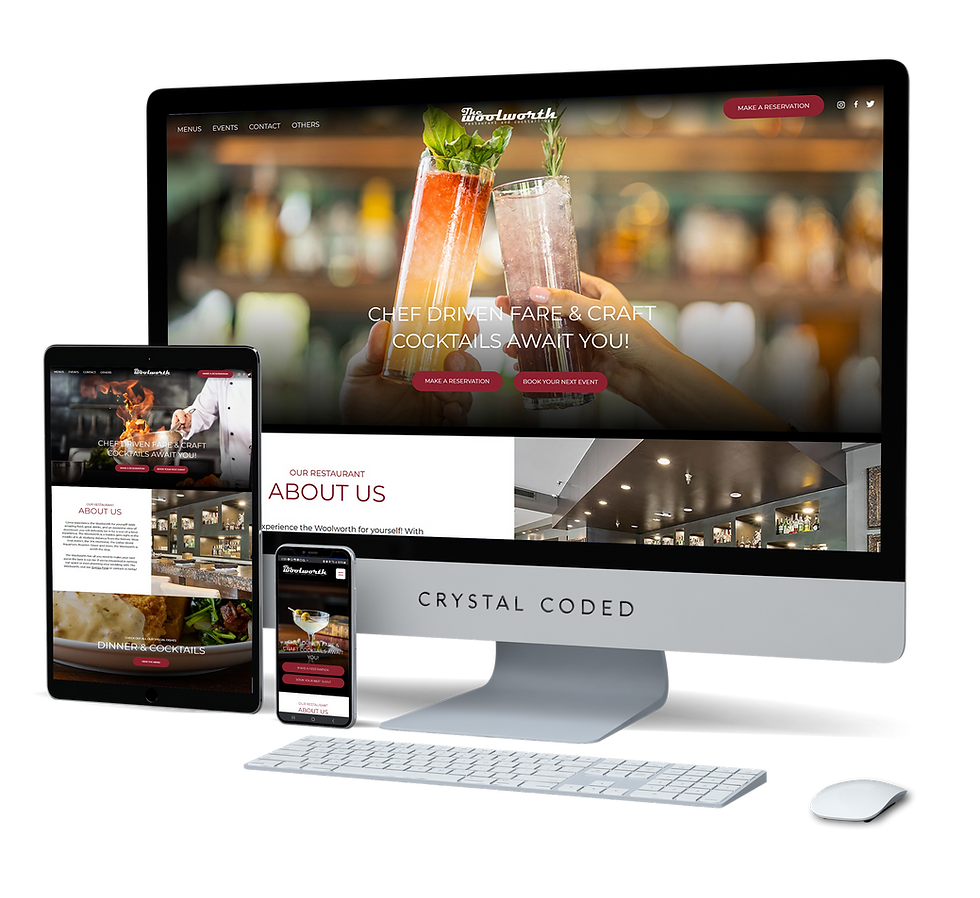
Your website may look excellent on a desktop computer but completely different on a smartphone. Responsive web design helps images adjust appropriately to different screen sizes. However, designers should still review the mobile version carefully to make sure important subjects aren't accidentally cropped and that images don't overwhelm the page.
This is particularly important for hero sections and banner images. A photograph that looks perfect in a wide desktop layout may need different positioning or cropping when displayed vertically on a phone.
A professional Wix website designer can help ensure your images and overall website layout work effectively across different devices.
Create a Consistent Visual Experience
One of the easiest ways to make a website look more professional is to create consistency among your images. Consider using similar photography styles, color tones, image proportions, and compositions throughout the site. This doesn't mean every image needs to look identical. Instead, they should feel like part of the same visual story.
For businesses with an established brand, this consistency can also extend beyond the website into social media, marketing materials, brochures, and other promotional graphics.
If you need professional visual assets for your business, you can also explore Crystal Coded's graphic design services.
Website Images Should Support Your Brand and Your Goals
The best website images aren't necessarily the most dramatic or expensive photographs. They're the images that support your message, represent your brand accurately, and help visitors understand what your business offers. Before selecting an image, consider its relevance, quality, authenticity, licensing, accessibility, and performance. A beautiful photograph that takes several seconds to load or has nothing to do with your business isn't necessarily a good website image.
Instead, think strategically about every visual element you place on your website. When imagery and website design work together, your visuals can help establish credibility, improve user experience, communicate your brand, and ultimately encourage visitors to take action.
Need Help Creating a Professional Website?
Choosing the right images is only one part of creating an effective website. Your images need to work together with your layout, branding, content, navigation, mobile design, and SEO strategy.
At Crystal Coded, we combine these elements to create customized websites that are designed around each client's business and goals. Whether you need a new website, a Wix website redesign, professional branding, or help improving your existing site's SEO, our team can help.
If you're ready to create a website that looks professional and gives your visitors a better experience, get a quote from Crystal Coded.


Comments